
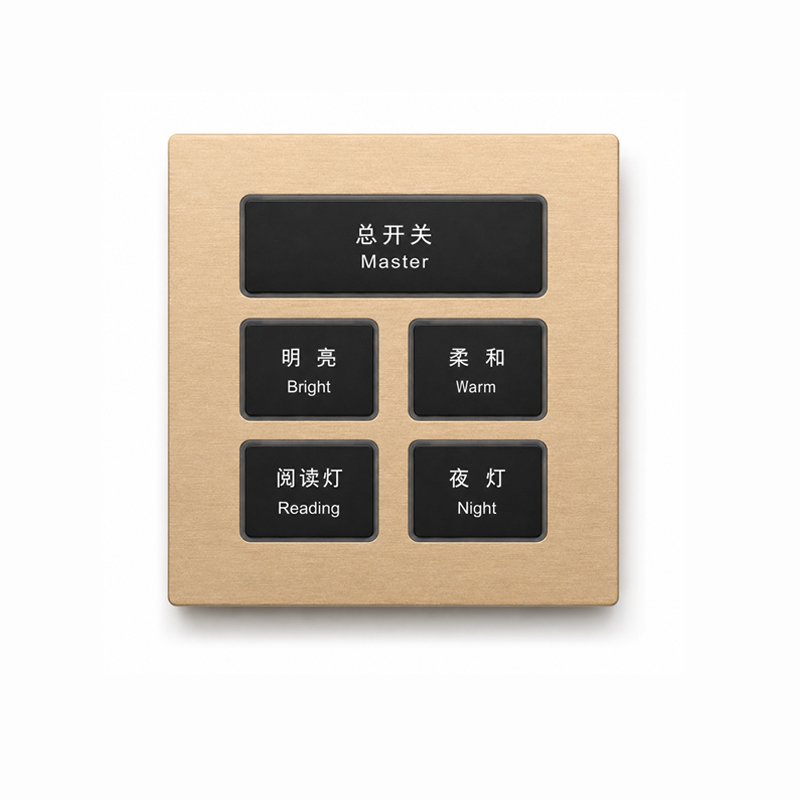
K601 KNX Metal Smart Switch Panel Series
The K601 Series is a premium KNX metal smart switch panel for lighting, curtains, scenes and room automation. Available in 1–6 button layouts, it combines aviation-grade aluminum construction with customizable LED colors, button materials and surface finishes. Designed for hotels, villas, apartments and commercial projects, it supports flexible OEM/ODM configuration with reliable KNX communication.
- Get Technical Support
Flexible KNX Control for Every Room
Configure the K601 series for lighting, curtains, scenes and essential room functions through the KNX system. Multiple button layouts allow the same design language to be used across different project areas.
Lighting Control
Control lighting circuits, switching commands and room lighting functions through the KNX bus.
Curtain & Blind Control
Operate motorized curtains, blinds and shading systems from a coordinated wall control point.
Scene Control
Trigger predefined room scenes such as Welcome, Away, Meeting, Relax or Sleep with one button.
Room Function Control
Assign buttons to hotel, villa and apartment functions including master control and service commands.
LED Status Indication
Illuminated button borders provide clear visual feedback for selected functions and operating status.
Configurable Button Layouts
Choose from 1 to 6-button layouts and configure each key according to the requirements of the KNX project.
Engineering Specifications for Project Selection
Review the confirmed mechanical, electrical and environmental specifications of the K601 Series for KNX project design, product selection and order configuration.
Product Construction & Installation
| Communication Protocol | KNX TP |
|---|---|
| Button Configurations | 1–6 Buttons |
| Panel Dimensions | 86 × 86 mm |
| Panel Thickness | 7 mm |
| Rear Housing Depth | 35 mm |
| Installation | Wall mounted, compatible with a standard 86-type back box |
| Panel Material | Aviation-grade aluminum alloy |
| Button Cap Materials | Aviation-grade aluminum alloy or PC plastic |
| Surface Finishes | Brushed, sandblasted and anodized treatment |
| Panel Color | Customizable according to project requirements |
| Button Color | Optional and customizable |
Electrical, Control & Environmental
| Status Indicator | Integrated LED indicator ring on each button |
|---|---|
| LED Indicator Color | Optional and customizable |
| Gesture Sensor | Standard across the K601 Series |
| Gesture Detection Distance | Approximately 30 cm |
| Relay Output | Optional, depending on order configuration |
| Relay Load — Resistive | 10 A at 220 VAC per channel |
| Relay Load — Inductive | 3.1 A at 220 VAC per channel |
| KNX Bus Current | 10 mA at 30 V |
| Power Consumption | < 0.3 W |
| Operating Temperature | −20°C to +60°C |
| Ambient Humidity | 0%–95% RH, non-condensing |
| Certification | KNX Certification — Contact us for certificate details and applicable model coverage. |
Relay outputs are optional hardware configurations and must be confirmed when placing an order. Installation drawings for the standard 86-type back box are available in the Downloads section.
Flexible Button Layouts for Different KNX Projects
The K601 Series supports 1 to 6 button layouts, allowing flexible assignment of lighting, shading, scenes and room functions according to different project requirements.
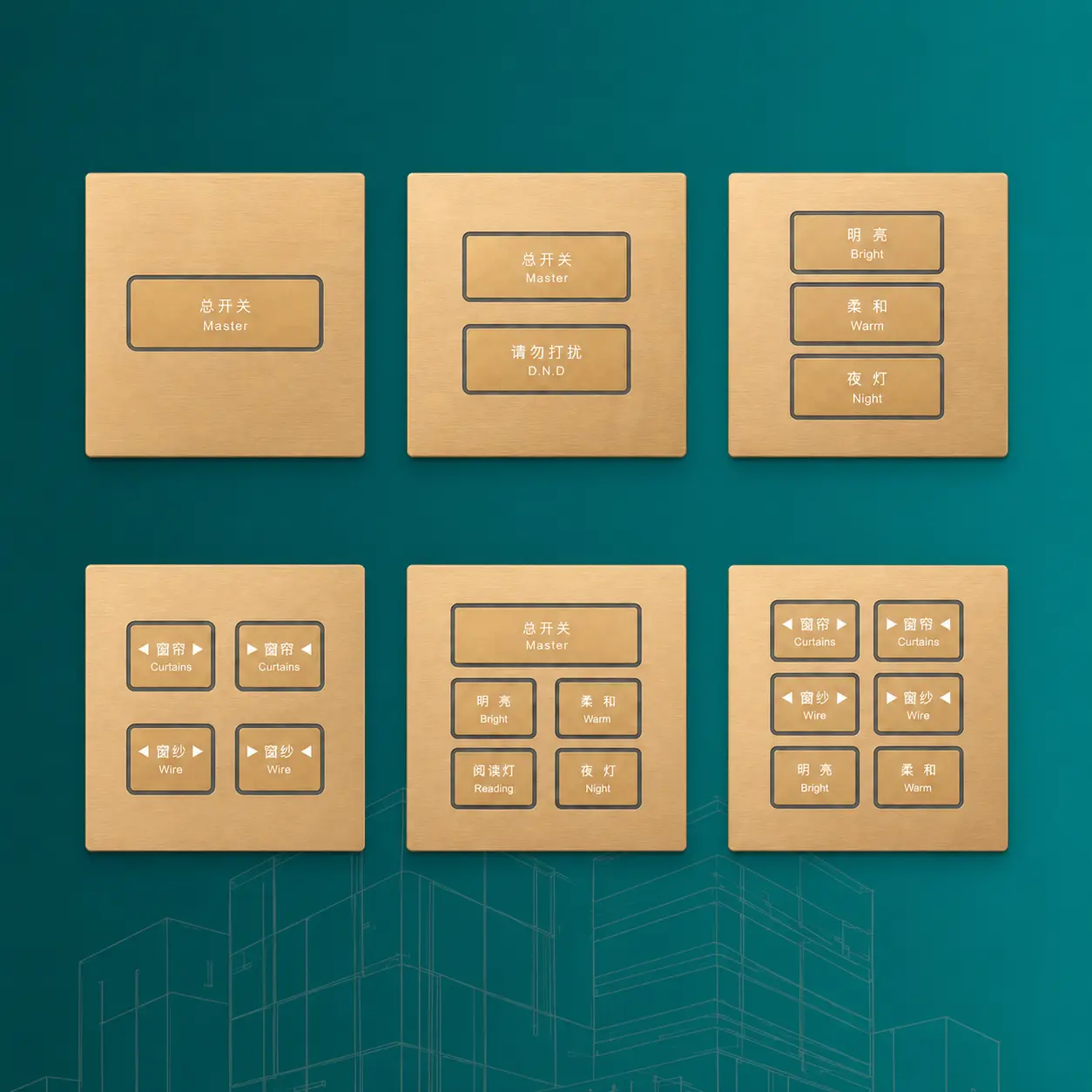
1 Button
Single Function Control
Suitable for simple lighting control or single device operation in compact KNX applications.
2 Button
Basic Room Control
A practical layout for lighting and curtain control in residential and hospitality projects.
3 Button
Multi Function Control
Provides additional flexibility for combining lighting, shading and scene functions.
4 Button
Scene & Area Control
Well suited for guest rooms, apartments and smart residential spaces requiring multiple control points.
5 Button
Extended Room Control
Supports more detailed room-function assignment for larger spaces or customized KNX control logic.
6 Button
Complete Room Control
Ideal for complete lighting, shading and scene control in high-end residential and hotel applications.
Premium Materials. Custom Finishes.
Configure the K601 Series with different panel textures, button materials, colors and LED indication options to match the functional and interior design requirements of each KNX project.
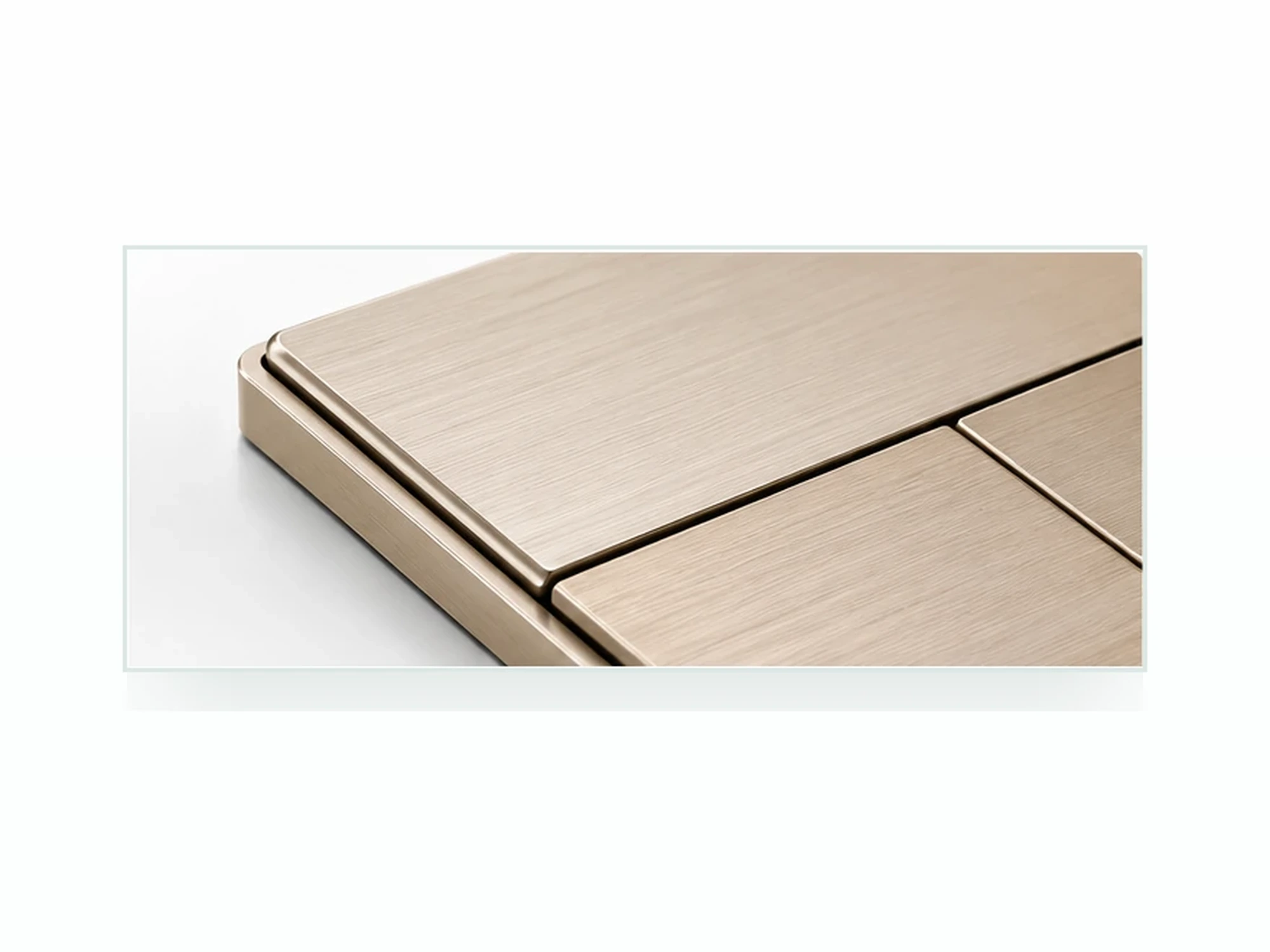
Aviation-Grade Aluminum Panel
The K601 faceplate is manufactured from aviation-grade aluminum alloy, providing a refined metal appearance, dimensional stability and durable performance for professional wall-control applications.
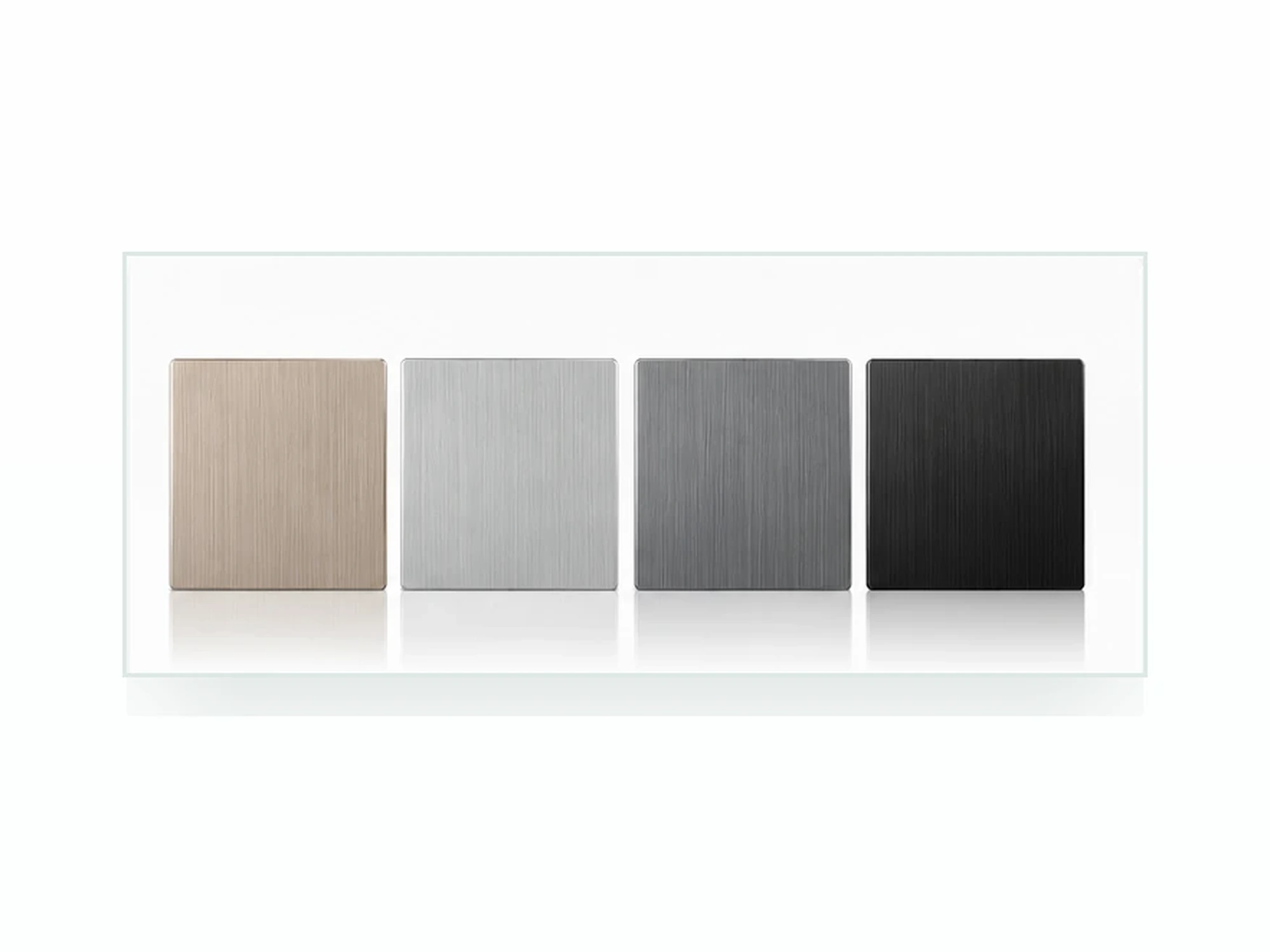
Brushed & Sandblasted Finishes
Choose brushed or sandblasted surface textures with anodized treatment. Panel colors can be customized to coordinate with different interior materials and project design concepts.
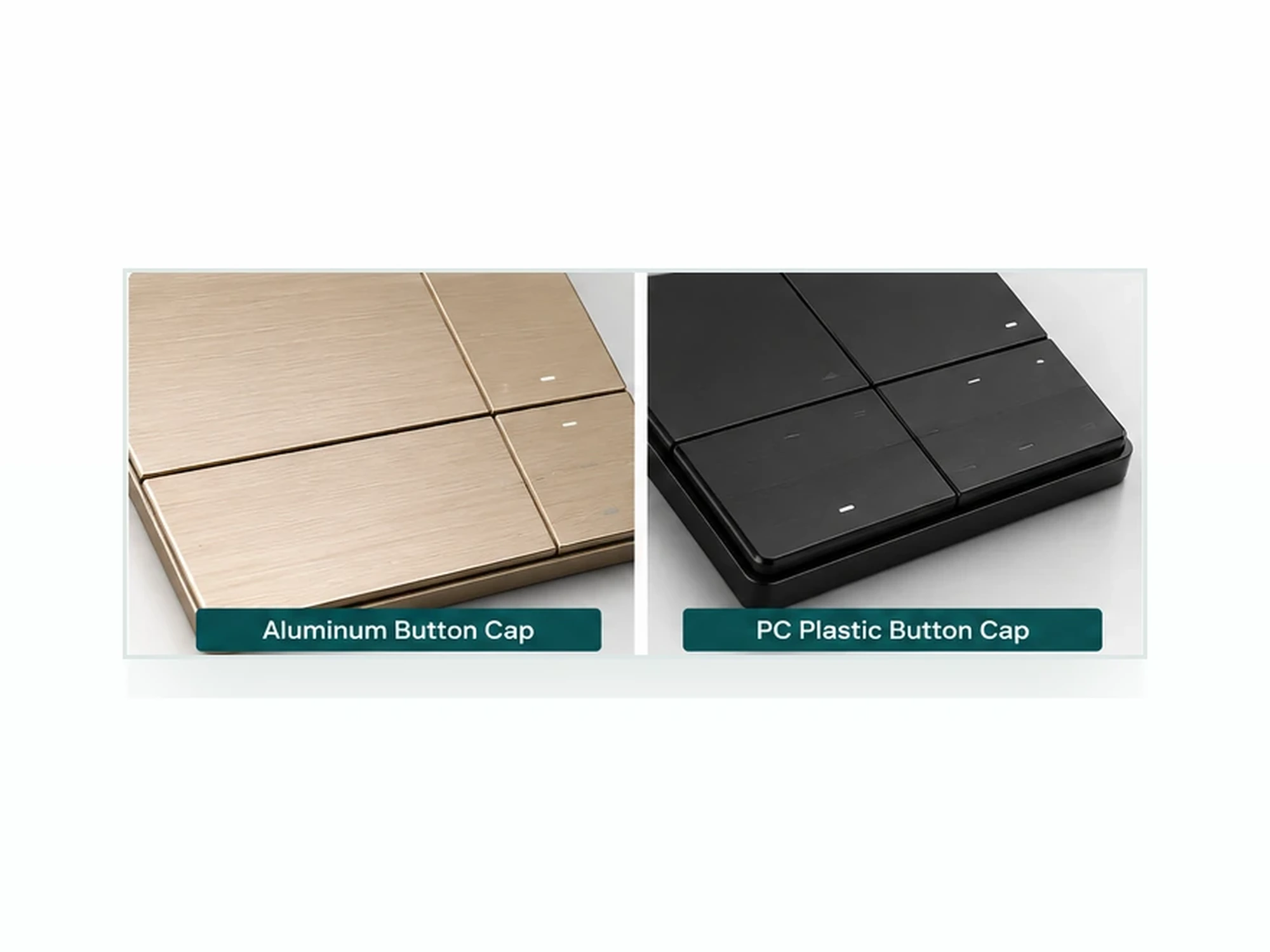
Aluminum or PC Button Caps
Button caps are available in aviation-grade aluminum alloy or PC plastic, providing different tactile characteristics, visual styles and cost-positioning options for project configuration.
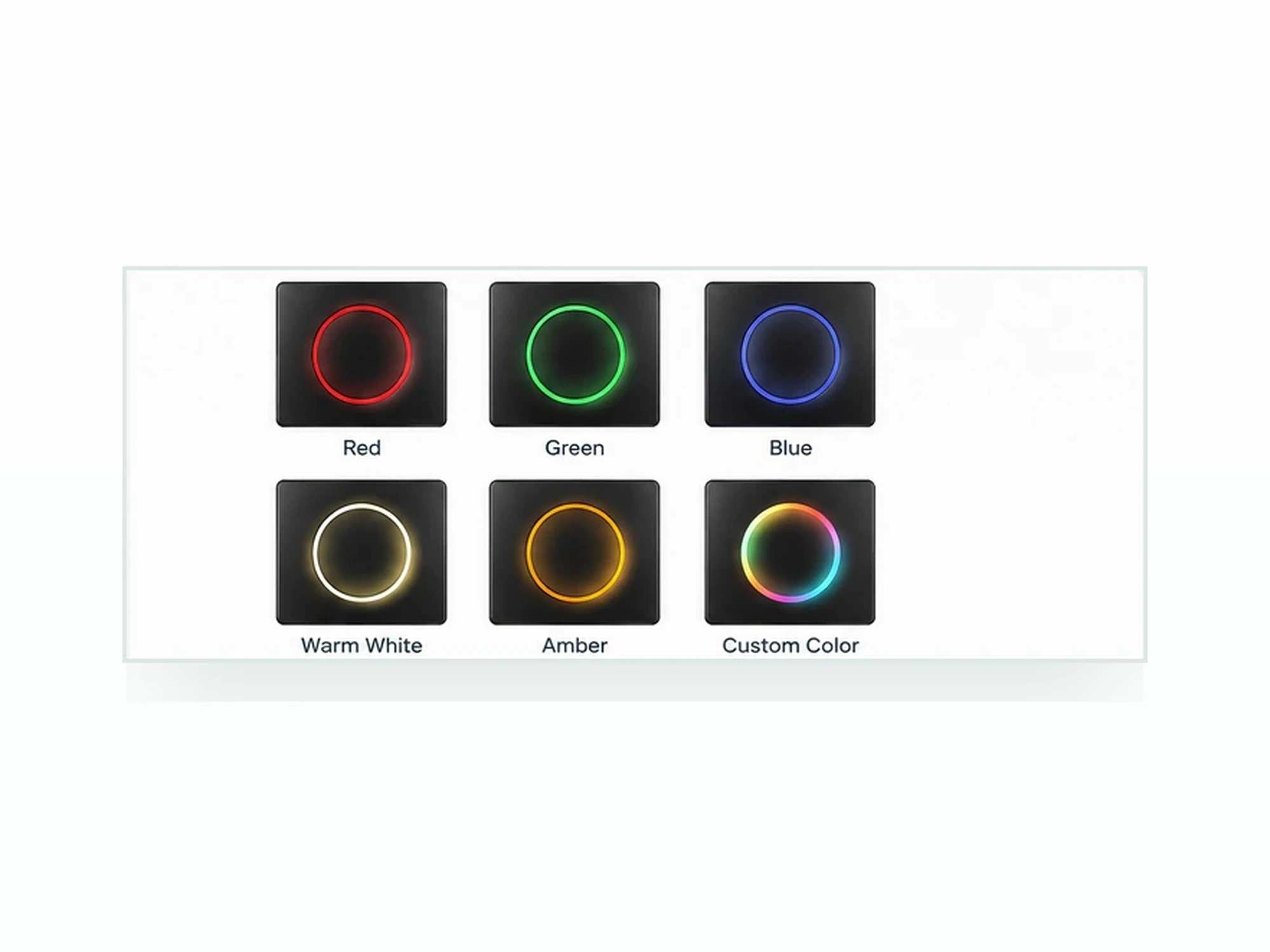
Customizable LED Indicator Colors
Each button integrates a status indicator LED ring. Indicator colors can be selected according to the assigned function, device status, interior design concept or OEM/ODM requirement.
Designed for Premium KNX Projects
The K601 Series combines flexible KNX control, customizable interfaces and refined metal craftsmanship for hospitality, residential and commercial building automation projects.
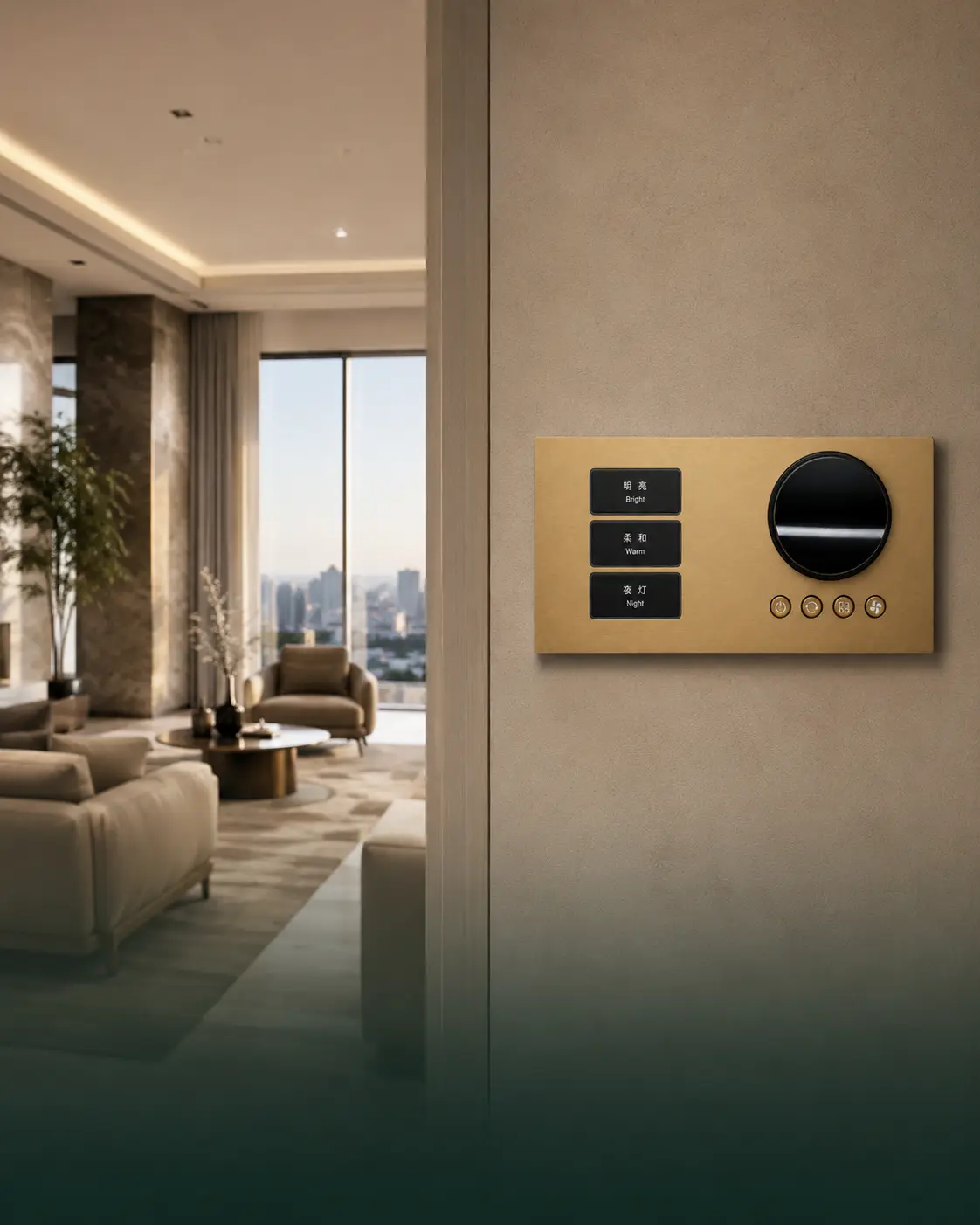
Smart Hotels
Create coordinated guest-room control for lighting, curtains, scenes and room functions while maintaining a consistent premium design throughout the hotel.
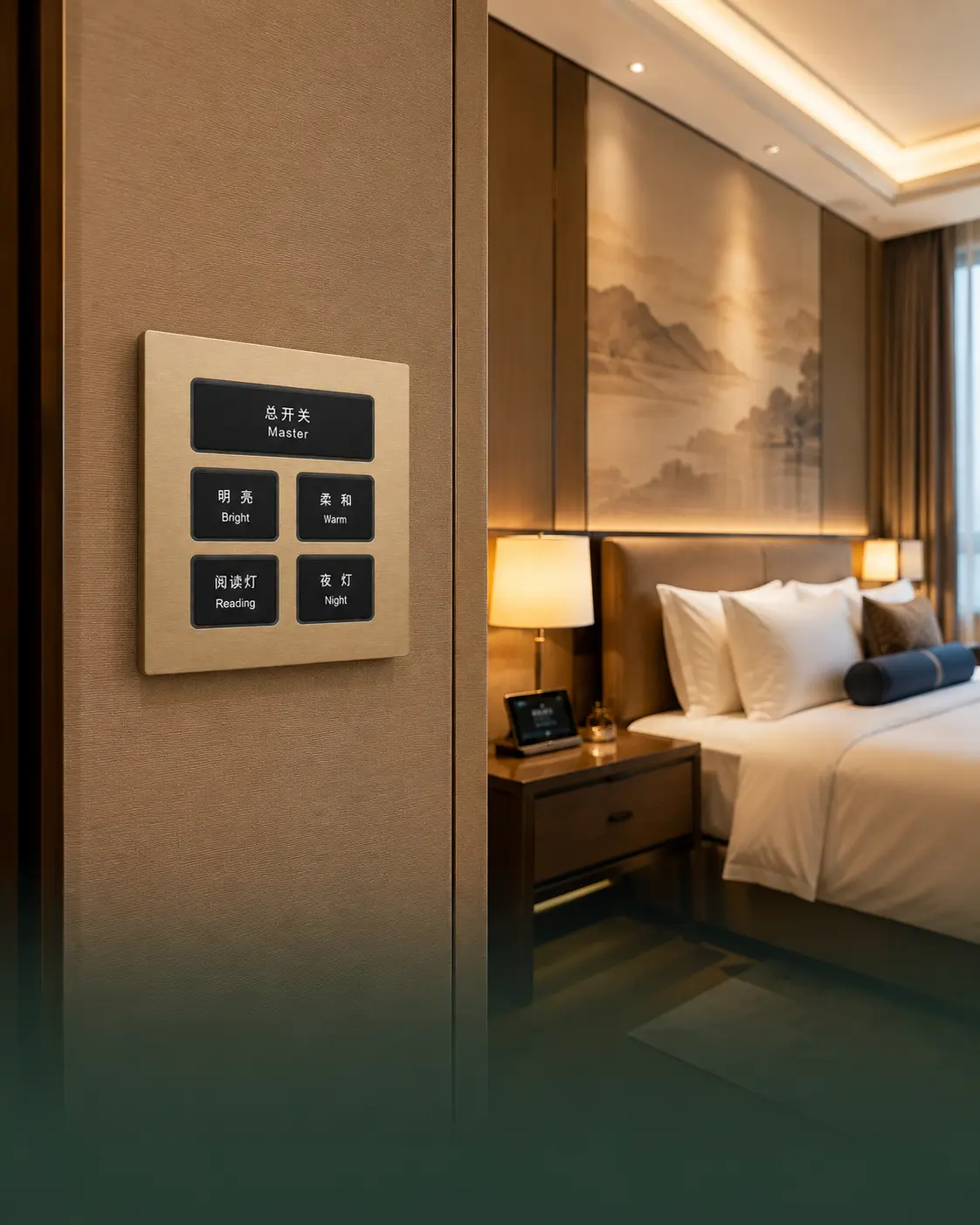
Luxury Villas
Integrate lighting, shading and personalized scenes into luxury villas with customizable metal finishes that coordinate with premium interior materials.
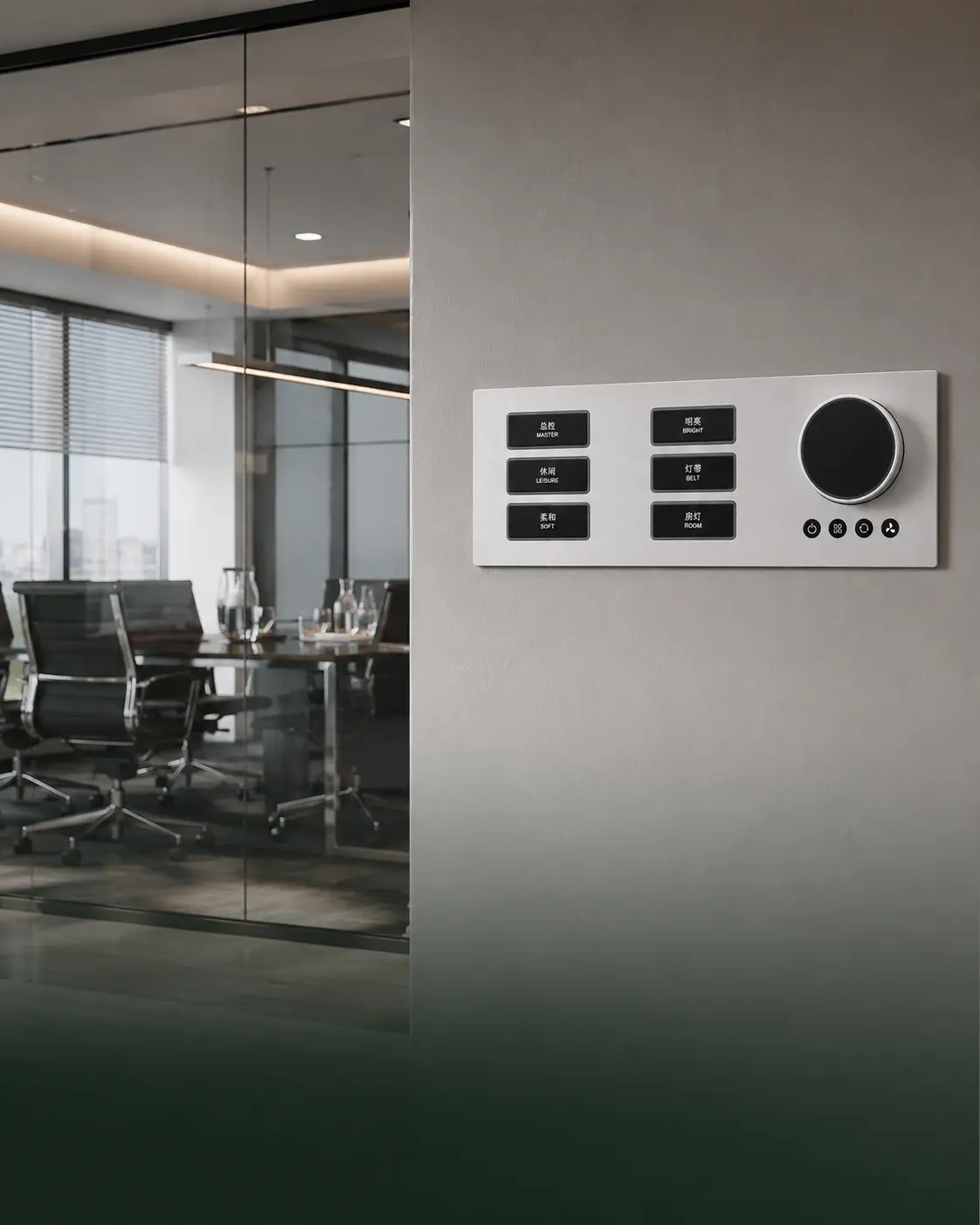
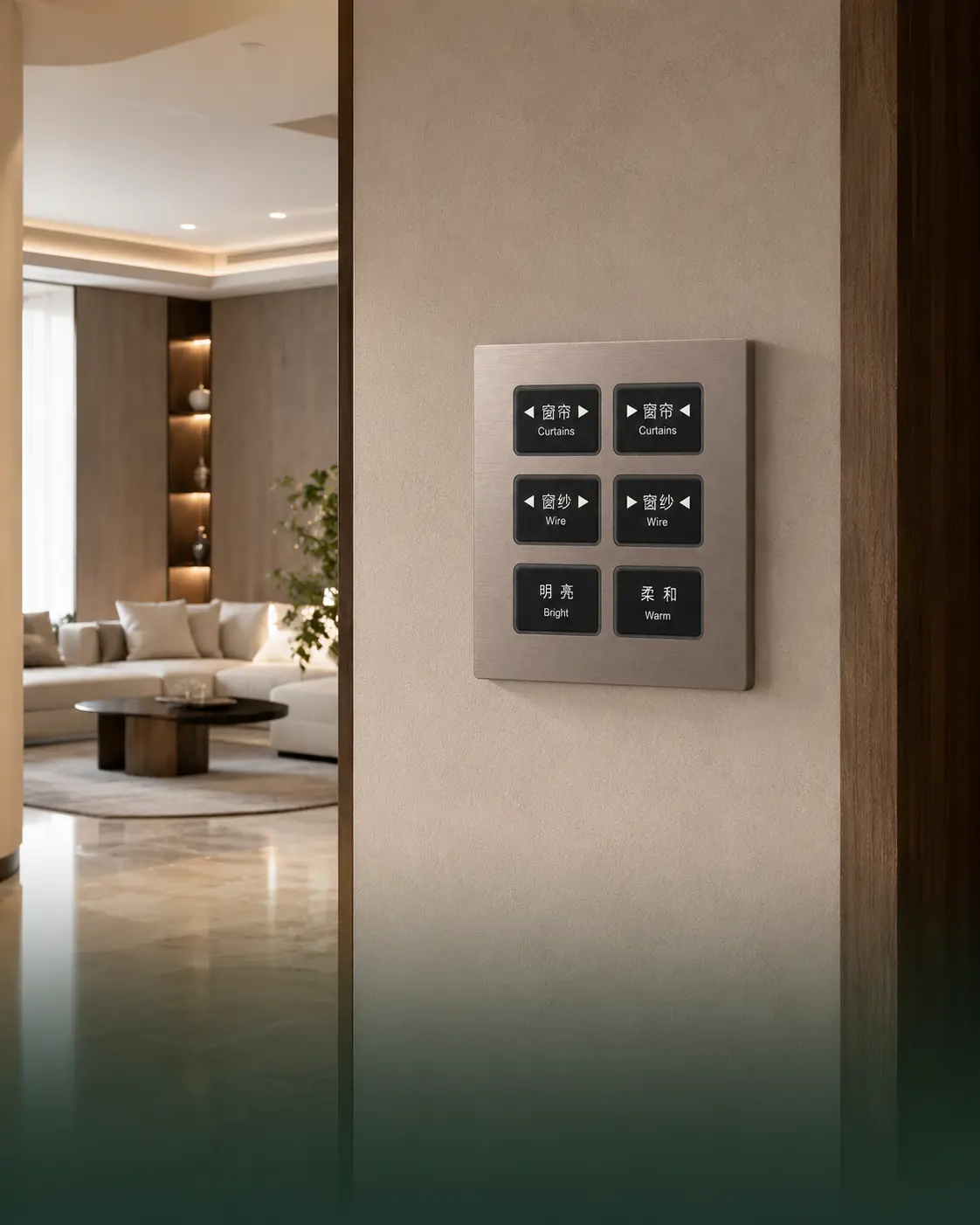
Apartments & Residences
Provide intuitive wall control for lighting, curtains and daily living scenes in premium apartments and multi-residential developments.
Commercial Buildings
Support efficient room and area control in offices, meeting rooms and commercial buildings through reliable KNX communication and configurable button functions.
KNX Wiring and System Integration
Connect the K601 Series to the KNX TP bus and assign each button to lighting, shading, scenes, HVAC and other room-control functions. Optional relay outputs are available according to the selected order configuration.
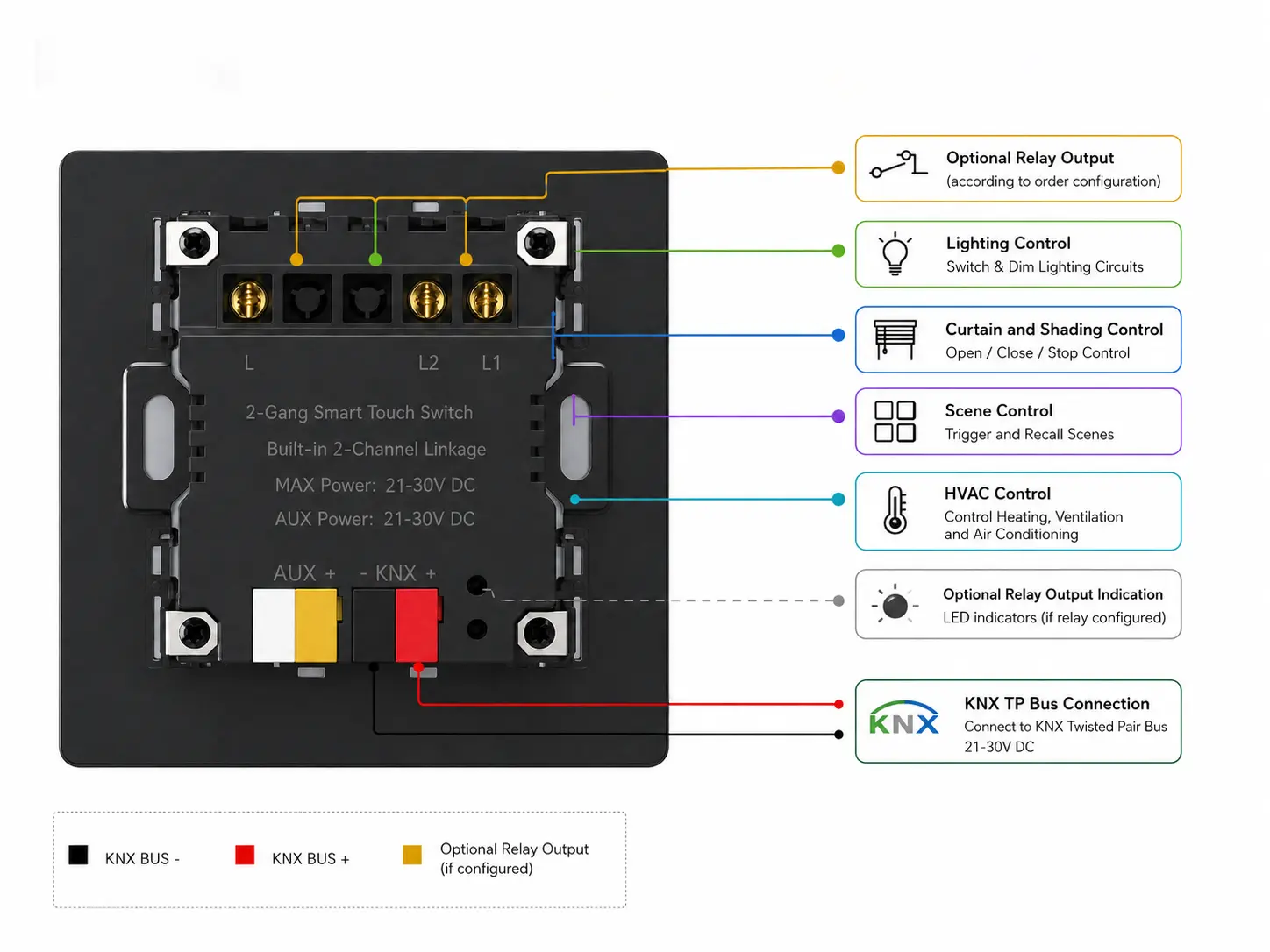
| KNX Bus Connection | KNX TP |
|---|---|
| Power & Communication | Supplied through the KNX bus |
| Control Assignment | Lighting, curtains, shading, scenes, HVAC and room functions |
| Relay Output | Optional, depending on the selected order configuration |
| Resistive Relay Load | 10 A at 220 VAC per channel |
| Inductive Relay Load | 3.1 A at 220 VAC per channel |
| Back Box | Standard 86-type back box |
| Rear Housing Depth | 35 mm |
Relay outputs are optional hardware configurations and must be confirmed when placing an order. Wiring and installation must be completed by qualified professionals in accordance with local regulations and the approved project drawings.
Standard Dimensions for Fast Project Installation
The K601 Series uses a standard 86 × 86 mm panel format and is designed for installation in a standard 86-type wall back box, supporting efficient integration into residential, hotel and commercial KNX projects.
Product Dimensions

Panel Size
Panel Thickness
Rear Housing Depth
Installation Process
Confirm that the standard 86-type wall back box is securely installed and provides sufficient internal space for wiring.
Connect the KNX TP bus cable to the designated terminal and verify the polarity according to the approved wiring diagram.
Place the rear housing into the back box and fasten the device securely while keeping the wiring properly arranged.
Fit the metal front panel, complete the KNX commissioning process and test all assigned button, LED and optional relay functions.
Installation, wiring and KNX commissioning must be completed by qualified professionals. Confirm the back-box depth, wiring space and optional relay configuration before installation.
Technical Resources for Project Integration
Access product documents for specification review, wiring, installation and KNX commissioning. Additional project files can be requested according to the confirmed K601 model, button configuration and firmware version.
Need Technical Assistance?
Share your project requirements, selected button configuration and integration details. Our team will help confirm the correct product version, wiring method and technical files.
Model and button configuration confirmation
KNX wiring and ETS configuration support
OEM, finish, color and relay option consultation
Please include the product model, button layout, project type, required functions and destination market when submitting your request.
Technical Resources
Product specifications, dimensions, electrical data, material options and ordering information.
Installation guidance, terminal connection, back-box requirements and commissioning precautions.
KNX TP bus connection, power supply, optional relay output and system integration reference.
ETS application program and product database for configuration of the confirmed model and firmware version.
Contact us for KNX certificate details, applicable model coverage, compliance documents and project-specific technical files.
The K601 Series Offers Flexible Customization Solutions for Your Project
Configure the K601 Series according to your project, brand and market requirements. Panel finishes, button layouts, indicator colors, materials and optional relay functions can be confirmed before production.
Choose brushed, sandblasted or anodized aluminum finishes with project-specific panel colors to match different interior design styles.
Select 1 to 6 button configurations with customized function labels, icons or branding according to the approved project design.
Configure aluminum or PC button caps together with customized LED indicator colors for clearer function identification and visual consistency.
Confirm optional relay outputs, KNX control assignments, packaging requirements and supporting technical documents before production.
Build Your K601 Configuration
Share your project requirements with our team. We will help confirm the suitable button layout, surface finish, LED color, relay option and technical configuration for your application.
Confirm button quantity and control functions
Select panel finish, color, button material and LED color
Review relay options, branding, packaging and project documents
Please include the required button layout, finish, color, relay option, project quantity and destination market when submitting your request.